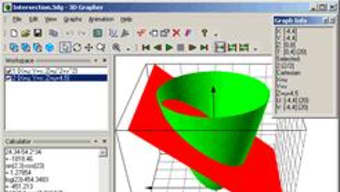

Download 3D Grapher – Free Windows Math Plotting Tool for 2D & 3D Graphs
Overview & Core Features
3D Grapher is a lightweight Windows‑based application designed for students, educators, and hobbyists who need to visualize mathematical equations and data tables in both two‑dimensional and three‑dimensional space. First introduced in 2005, the program has amassed over 27,000 installations worldwide, with a steady flow of new users from Poland, India, Egypt, and many other countries. The current version (1.21) was refreshed on August 19 2005, adding export capabilities to BMP and AVI formats, refined line‑plotting quality, and a polished status‑bar appearance. Despite its age, 3D Grapher remains a solid choice for anyone looking for a free, secure, and easy‑to‑use graphing solution that runs on legacy Windows systems such as Windows 95 and later.
Key Feature List
- Plot and animate 2D equations (linear, quadratic, trigonometric, etc.).
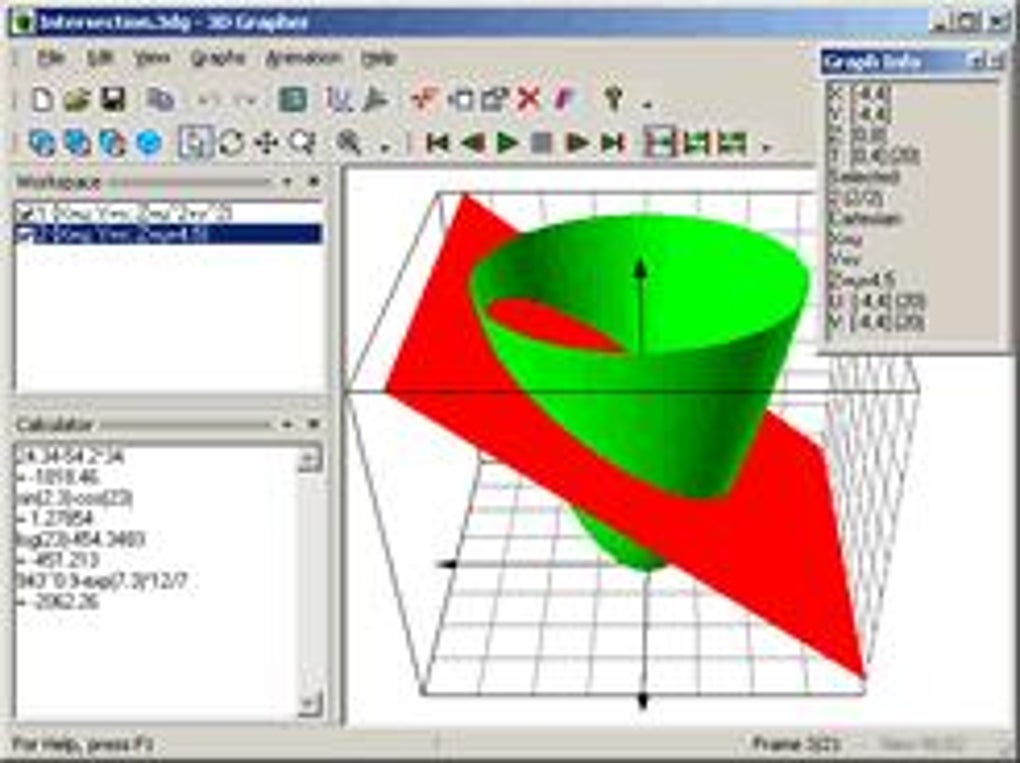
- Render 3D surfaces and parametric equations with real‑time rotation.
- Import data tables and generate corresponding scatter or surface plots.
- Export graphs to BMP image files for high‑resolution prints.
- Save animations as AVI video clips for presentations.
- Enhanced line‑plotting algorithm for smoother curves and reduced aliasing.
- Customizable status bar showing current coordinates, zoom level, and rendering mode.
- Compact installer (under 5 MB) that leaves a minimal footprint on the hard drive.
- Full English interface with clear menu hierarchy.
- Free trial version with no hidden fees or mandatory registrations.
Installation, Usage & Compatibility
Getting started with 3D Grapher is straightforward, even for users with limited technical experience. The installer is a single executable (3DGrapherSetup.exe) that runs on any Windows platform from Windows 95 up to Windows XP, making it ideal for legacy machines in schools or labs that cannot upgrade to newer operating systems. To install, simply double‑click the setup file, follow the on‑screen wizard, and choose a destination folder (the default location requires less than 10 MB of free space). The program does not require additional runtime libraries such as .NET or Visual C++ redistributables, which contributes to its lightweight nature.
Once installed, launching 3D Grapher presents a clean workspace with a menu bar, toolbar, and a large graphing canvas. Users can enter an equation directly into the “Equation” dialog (e.g., z = sin(x) * cos(y)) or import a CSV‑formatted table via the “File → Import Table” option. The real‑time preview updates instantly, and the “Animate” button adds rotation or parameter variation to produce smooth AVI animations. Exporting is handled through “File → Export”, where BMP and AVI formats are selectable. For those needing higher resolution, the BMP export supports up to 4096 × 4096 pixels, sufficient for large‑format printing.
Compatibility is focused on Windows 95, 98, ME, 2000, and XP. While newer Windows versions (Vista, 7, 8, 10, 11) can still run the application in compatibility mode, the official support ends at Windows XP, reflecting the software’s historic release window. This limitation is not a drawback for the primary audience—educational institutions and individuals maintaining older PCs for laboratory work.
The user interface follows classic Windows design guidelines, ensuring that keyboard shortcuts (e.g., Ctrl + S for save, Ctrl + Z for undo) work as expected. A brief help file (CHM format) is bundled, covering equation syntax, table formatting, and troubleshooting tips. Overall, the installation process is quick (under two minutes on a typical 200 MHz machine), and the day‑to‑day workflow feels intuitive, even for first‑time users.
Pros & Cons
What Users Love About 3D Grapher
- Lightweight & Fast: The program launches in seconds and renders graphs without taxing the CPU.
- Legacy Support: Works on Windows 95‑XP, making it perfect for older lab computers.
- Free Trial: No hidden costs; the trial version offers full functionality.
- Export Options: BMP images and AVI animations are built‑in, eliminating the need for third‑party converters.
- Improved Line Quality: Updated rendering engine reduces jagged edges on curves.
- Educational Focus: Simple UI and clear help file make it ideal for classroom demonstrations.
Areas Where 3D Grapher Could Improve
- Modern OS Support: No official support for Windows 10/11, which may require compatibility tweaks.
- Limited Symbol Library: Advanced mathematical symbols (e.g., Greek letters) are not fully integrated.
- No Mobile Version: No Android or iOS companion apps, restricting use on tablets.
- Static Interface: The UI looks dated compared to contemporary graphing tools.
- Trial Restrictions: Some users report occasional prompts to purchase the full version after extended use.
FAQ & Final Thoughts
Can I use 3D Grapher on Windows 10 or Windows 11?
Officially the software supports Windows 95‑XP only. However, many users have reported success running it in Windows 10/11 compatibility mode (set to Windows XP). Some features like AVI export still work, but you may encounter occasional UI glitches.
Is the trial version limited in any way?
The trial version offers full plotting, animation, and export capabilities. The only limitation is the occasional reminder to purchase the full license after extended use, which does not block any core functionality.
How do I export a 3D animation to video?
Select the “Animate” button after setting up your 3D surface. In the animation dialog, choose the rotation axis, speed, and frame count. Then go to “File → Export → AVI” and specify the destination folder. The program will generate an AVI file that can be played in any standard media player.
Can I import data from Excel?
Yes. Save your Excel sheet as a CSV (comma‑separated values) file, then use “File → Import Table” in 3D Grapher. The program will read the columns as X, Y, and optionally Z values, creating a scatter or surface plot accordingly.
Is there a way to customize the graph colors?
The “Options” menu includes a “Color Scheme” selector where you can choose predefined palettes or define custom RGB values for the surface, grid, and axes. These settings are saved with each project file.
In summary, 3D Grapher delivers a robust set of features for free, targeting users who need a reliable graphing utility on older Windows machines. Its ability to plot both 2D and 3D equations, export high‑resolution BMP images, and create AVI animations makes it a versatile teaching aid. While the interface may feel dated and official support for modern Windows versions is lacking, the software’s performance, minimal system requirements, and straightforward workflow outweigh these drawbacks for its core audience.
Ready to start visualizing mathematics on your Windows PC? Click the download button below to get the latest trial version of 3D Grapher, install it in minutes, and bring your equations to life.







